 PaneLive
Prepare the next shot.
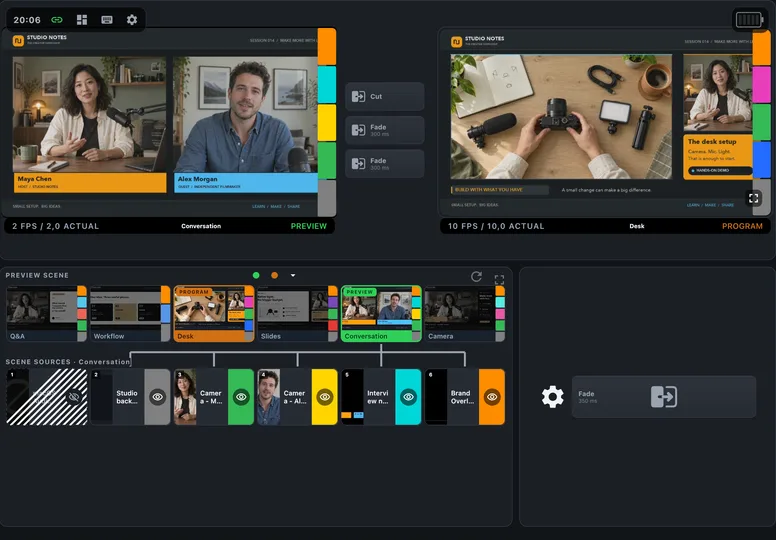
Prepare the next scene in Preview, then take it live with a transition.
Studio control · Monitoring · Teleprompter · Tally
Turn the phone or tablet you already own into a dedicated studio control surface.
PaneLive Pro connects to OBS Studio, vMix and Streamlabs Desktop and puts the controls and status you need into one focused workspace. Put an older device back to work beside the camera, on the desk or at the studio door.
For a one-off event, subscribe to PaneLive Pro monthly and cancel when you’re done. Or try the yearly subscription free for 7 days.
Android 7.0+ (API 24) · iOS 16+ · iPadOS 16+. Put an older phone or tablet back to work.
How it works
Bring PaneLive Pro, PaneLive Companion and OBS Studio or vMix together for live video, monitor sound, countdown controls and the teleprompter.
OBS Studio, vMix or Streamlabs Desktop runs on your computer and records and streams, just as it does today.
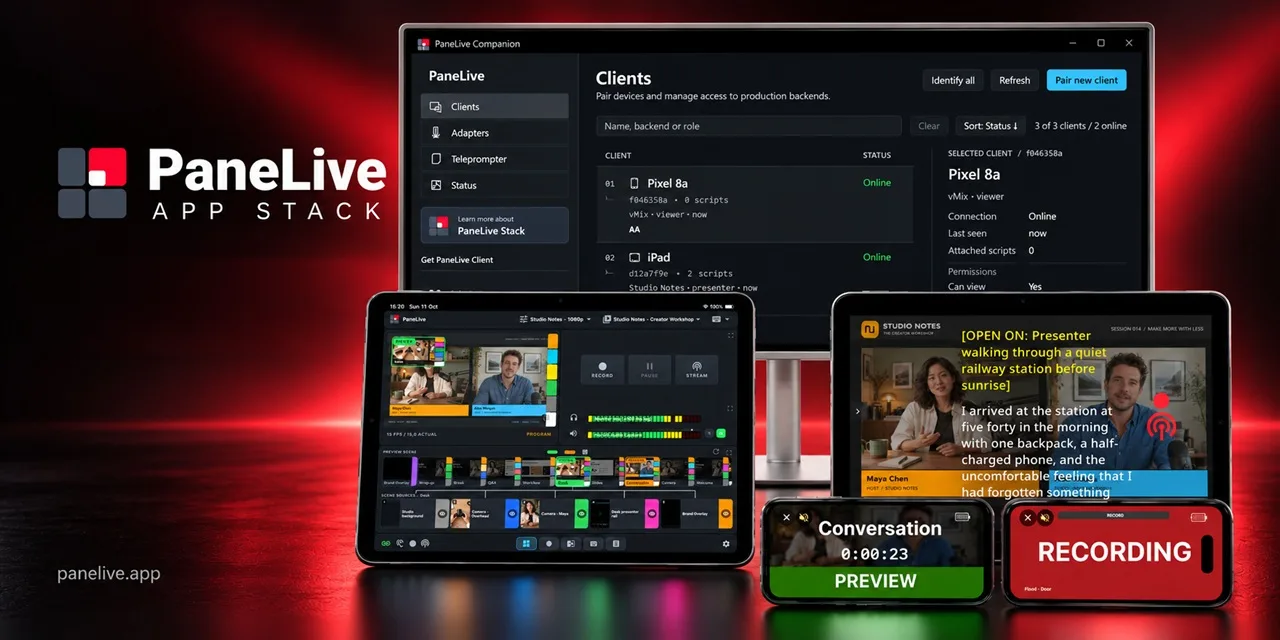
A desktop app on the same computer. It pairs your phones and tablets by QR code, decides who can control what, and sends video, sound, countdowns and scripts to your crew’s screens.
Each phone or tablet becomes a control panel, a monitor or a tally light. Pro adds the teleprompter. For a simpler setup, PaneLive can also connect straight to your production software.
Older device. New studio job.
That Android phone in the drawer or iPhone 8 you kept as a spare could have a place beside your camera. PaneLive starts at Android 7.0 (API 24) and iOS/iPadOS 16, bringing studio control and tally to generations of phones and tablets you may already own.
Put a tally light at the studio door, keep controls within reach or use a tablet as a teleprompter. Give each screen a job that suits it. Check the OS requirements and feature availability.
Watch it. Run it.
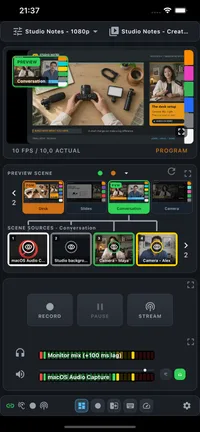
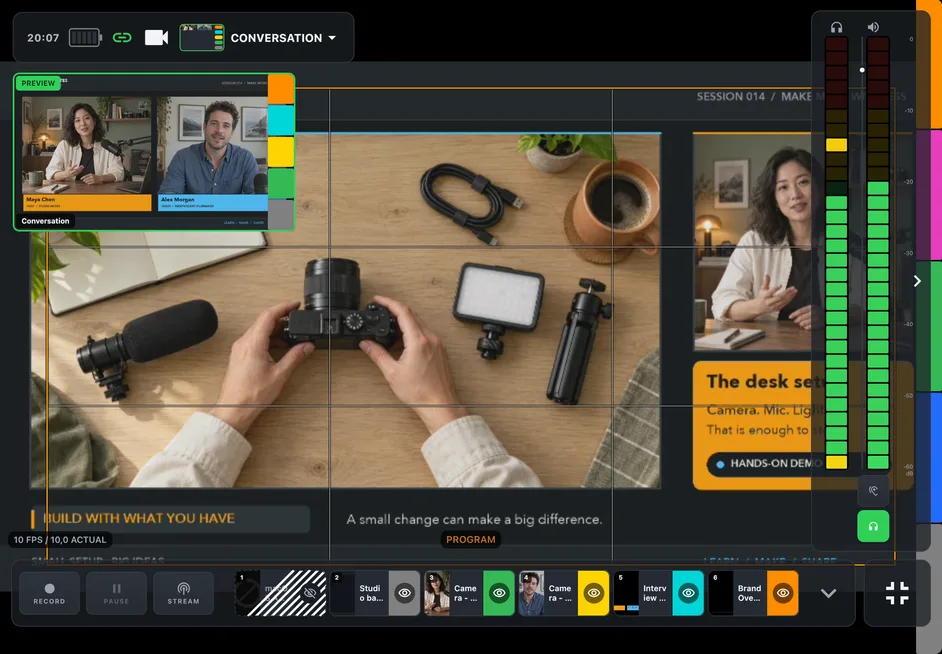
Watch Program, set up Preview and keep an eye on your recording and stream. With OBS or vMix video, the screen becomes a production monitor with optional meters and composition guides in PaneLive Pro. Go fullscreen when the picture needs your full attention.
Pick a scene, show or hide sources, check the mixer and start or stop recording and streaming. In studio mode, Preview and Program stay separate, so you can set up the next shot before it goes live. Hold-to-press and stop confirmations protect against accidental taps.
Pro tip: some features are just a long press away. Press and hold the Preview picture to count down to a transition, or a scene to see its screenshot. Go ahead and explore.
Prepare the next scene in Preview, then take it live with a transition.
Move faders, mute sources, watch meters and listen along on headphones.
See at a glance whether you are recording or streaming.
Trigger the actions you already use in your production software from the deck.
PaneLive Pro · Production workspaces
With PaneLive Pro, spread control and monitoring across several phones and tablets connected through PaneLive Companion. The producer keeps the Dashboard, whoever runs the switcher gets the Composition deck, and the person watching the outputs gets the Recording deck.
Put the Hotkey deck on a spare phone, or use the scene and audio solo views to focus on a single task. Everyone keeps the controls and status they care about in view for the whole show, and tally views give presenters and camera crew a clear cue of their own.
Want a compact control station? Mount a row of phones below the main monitor, tablets above it, or a grid of screens to one side. The devices you already own get a permanent place in your production.
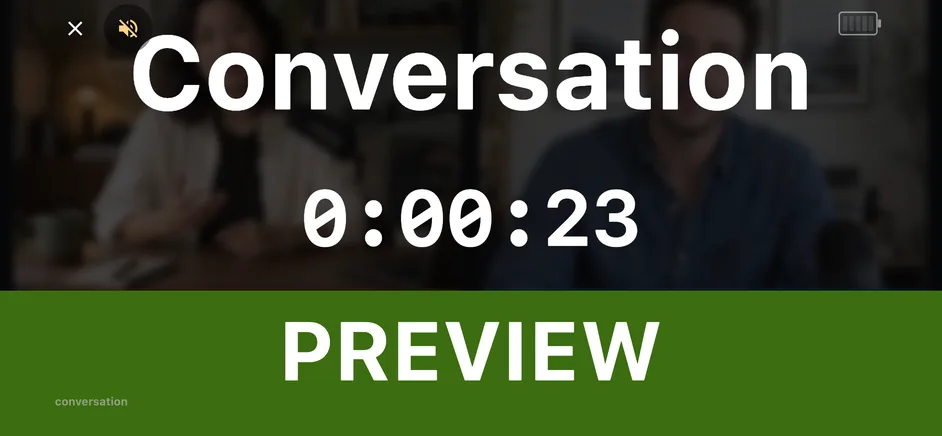
A device for every studio job
Give each studio position its own cue. Save tally setups in PaneLive Pro and turn a phone or tablet into a tally light. Choose the Flood, Dot, Bar or Operator style, then let it follow selected scenes, specific sources, or whether the studio is recording or streaming. Program glows orange in rehearsal and red once you record or stream, and Preview is green. Prefer the broadcast standard of red for Program? It’s one switch away.
A door sign can show RECORD, ON AIR or REC + ON AIR. Start countdowns with Pro to give everyone in the room a visible run-up to a transition or to going live, and PaneLive Companion shows the same countdown on connected devices.
PaneLive · Teleprompter
Read scripts from PaneLive Companion on a single device, or share one prompting session across several. A Controller runs the session, the Master Player sets the scrolling pace, and Monitors follow along. You’ll need a teleprompter rig sized to fit the tablet acting as the Master Player for PaneLive Teleprompter.
Read against a clean background or keep live video visible behind the script. Adjust the speed and look from the Controller, or let voice follow scroll along as you speak (English, when the Master Player device supports it).
Master Player and auxiliary player (Monitor) modes are included in free PaneLive. Controller mode requires Pro. The teleprompter also works on its own, without OBS, vMix or Streamlabs running.
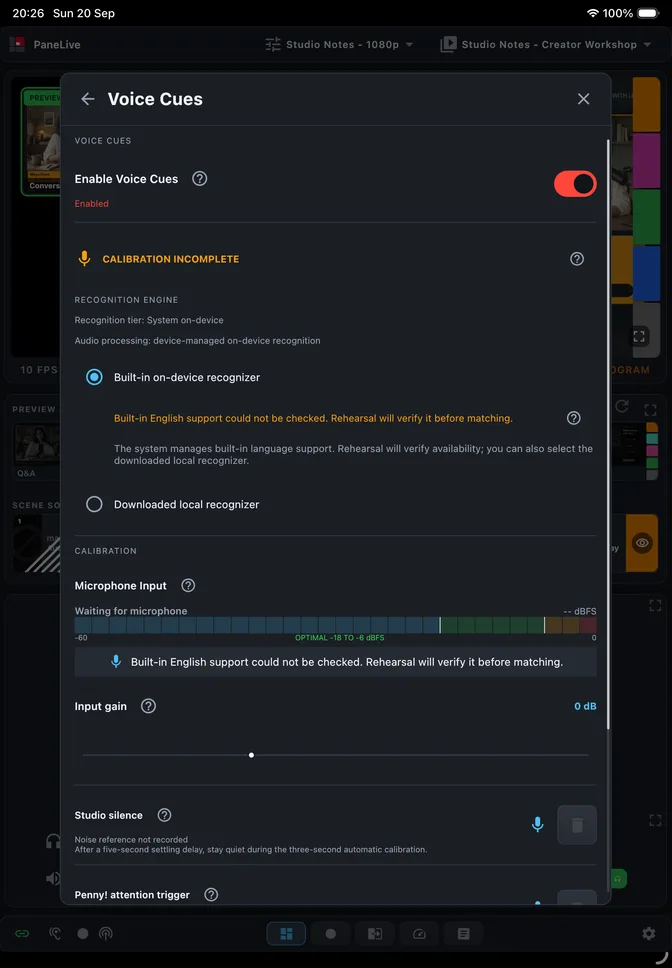
PaneLive Pro · Voice Cues
With PaneLive Pro Voice Cues, you can start recording or streaming, switch scenes and trigger transitions by voice. Calibrate the wake word, rehearse your commands and build your own voice macros that run several actions in a row.
Voice Cues run the production. Reading from the teleprompter? Voice follow scrolls your script as you speak.
Works with your production software
Watch Program and Studio Preview, switch scenes and sources, manage audio, recording and streaming. Switch OBS Profiles and Scene Collections, follow live video and listen to a producer monitor mix through PaneLive Companion.
OBS guideControl inputs, the mixer, recording and streaming. Listen to monitor audio, manage individual streaming destinations and draw with the vMix Telestrator. Connect through PaneLive Companion for QR pairing and access roles.
vMix guideControl scenes, sources, the mixer, recording and streaming. Switch scene collections and work with Horizontal and Vertical sources. PaneLive Companion adds QR pairing.
Streamlabs guide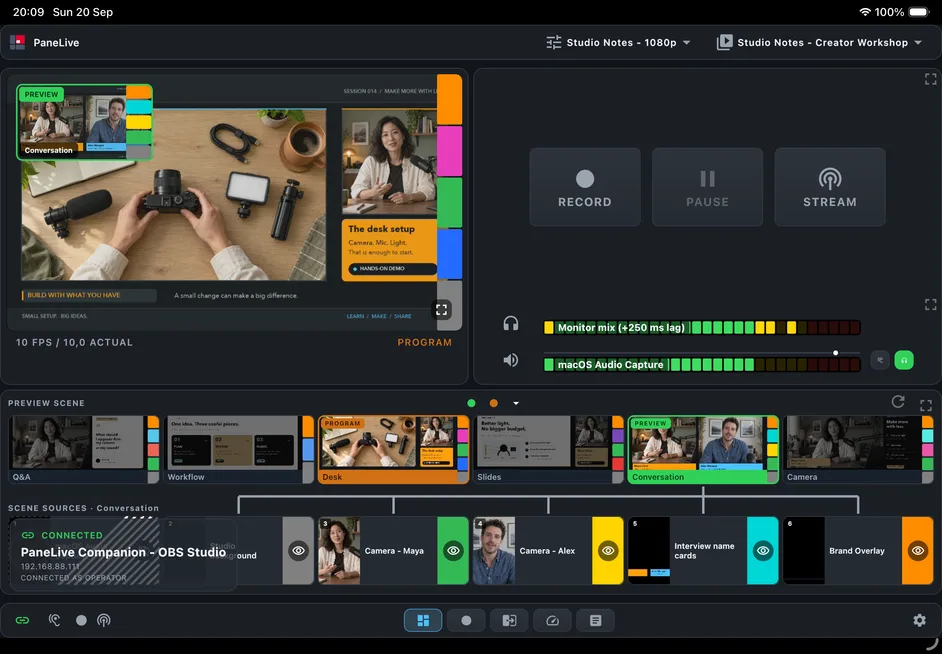
Start with PaneLive Companion
Pair a device by scanning a QR code, decide what it is allowed to do and bring the whole team into the same production. PaneLive Pro brings you countdown controls and teleprompter sessions, plus live video and monitor audio with OBS and vMix.
Frequently asked questions
For a one-off event, subscribe to PaneLive Pro monthly and cancel when you’re done. Or try the yearly subscription free for 7 days.